Mastering Pandas DataFrames The Ultimate Guide For CBSE Class XII Informatics Practices Code 065
Pandas DataFrames
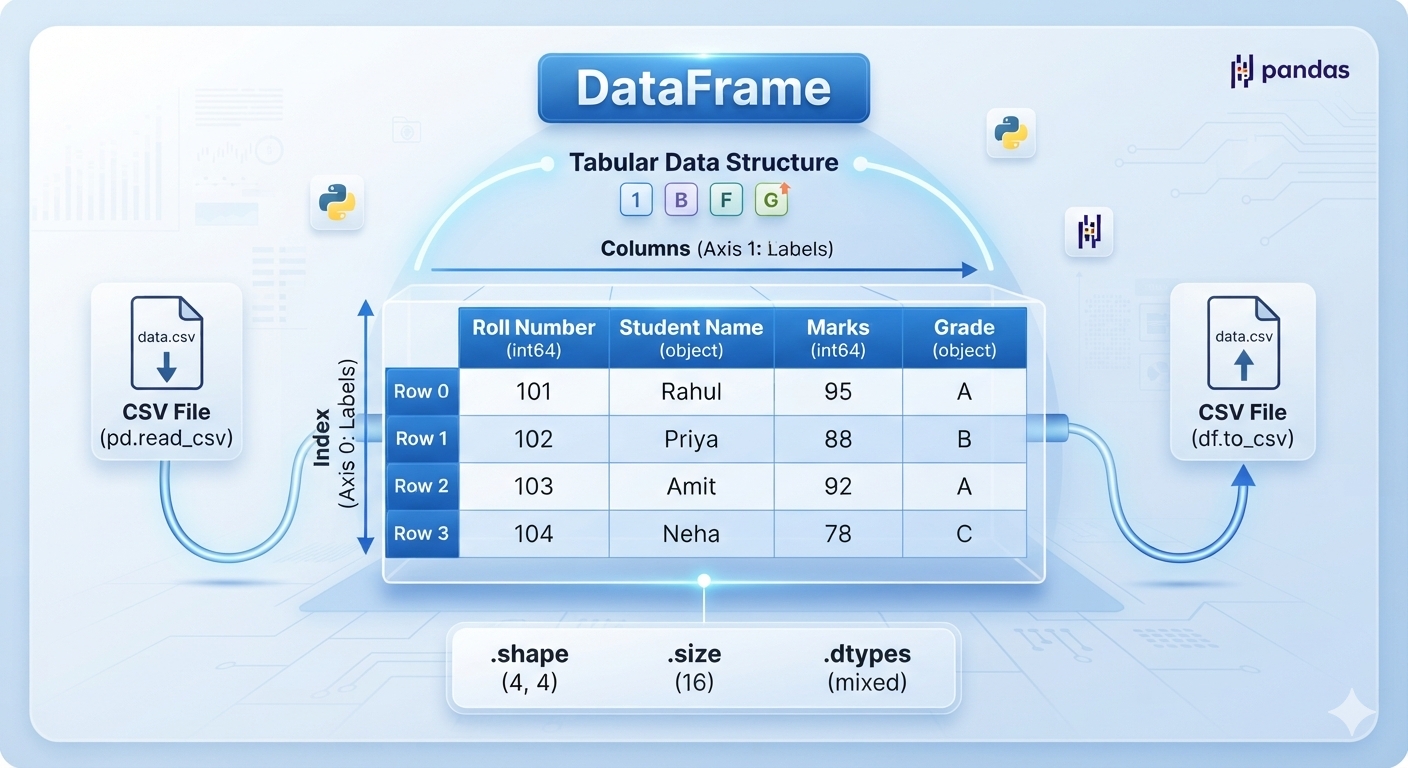
Mastering Pandas DataFrames The Ultimate Guide For CBSE Class XII Informatics Practices Code 065
Pandas DataFrames , Sep-07-2026
Mastering Pandas DataFrames: The Ultimate Guide for CBSE Class XII IP (Code 065)
1. Core Structural Attributes
() because they return properties of the DataFrame rather than executing an action.df.index: Returns the row labels (index) of the DataFrame.df.columns: Returns the column labels of the DataFrame.df.axes: Returns a list containing both the row axis labels and column axis labels.df.dtypes: Returns the data type of each column.df.size: Returns the total number of elements (Rows × Columns).df.shape: Returns a tuple representing the dimensions (rows, columns).df.values: Returns a NumPy ndarray representation of the data.df.empty: ReturnsTrueif the DataFrame is completely empty; otherwiseFalse.df.T(Transpose): Flips the DataFrame, swapping its rows with its columns.
2. Inspecting and Viewing Data
.head(n)
n rows of the DataFrame. If n is omitted, it defaults to showing the first 5 rows. .tail(n)
n rows of the DataFrame. If n is omitted, it defaults to showing the last 5 rows. 3. Data Selection and Indexing
.loc[] (Label-Based)
.iloc[] (Integer-Based)
Boolean Indexing
4. Basic Operations on Rows and Columns
Adding & Selecting
- Selecting a Column:
df['Column_Name'] - Adding a New Column: Assign values directly to a new key.
Deleting Rows and Columns
df.drop(): Used to drop columns or rows. For columns, students must specifyaxis=1.delStatement: Permanently removes a column in-place.
Renaming Labels
df.rename(): Alters row index labels or column labels.
5. Iteration Methods
.iterrows()
.iteritems() / .items()
6. Importing and Exporting Data (CSV Files)
pd.read_csv()
.csv file into a Pandas DataFrame structure. df.to_csv()
.csv file.
For a student preparing for the CBSE Class XII Informatics Practices (Subject Code: 065) board exams under the 2026-2027 academic syllabus, mastering Pandas DataFrames is essential. Unit 1 (Data Handling using Pandas) carries a massive 25 marks in the theory paper. The CBSE curriculum explicitly focuses on specific attributes, structural properties, and manipulation methods. Writing or teaching anything outside this exact scope will cause information overload for students. Here is a comprehensive, student-friendly curriculum article covering every single DataFrame property and method required by the official syllabus.
Popular Keywords
-
Pandas DataFrames
-
Class XII IP Subject Code 065
-
Methods Used In DataFrames
-
Learning Pandas DataFrame For Class XII IP(065) CBSE
Tags
Pandas DataFrames Class XII IP Subject Code 065 Methods Used In DataFrames Learning Pandas DataFrame For Class XII IP(065) CBSE